Maintenance apps charge $20–75 per user, every month — UpKeep's plans run $24–55 per user per month, plus a $500–5,000 implementation fee (its own pricing pages, checked 20 Sep 2026). For a 10–30 person team where most staff just need to report a broken machine, that math never works. CMMS Lite is the light system they don't sell: PM template packs per vertical, printed QR asset tags, the asset register and the work-order habit. One payment of $42 — no subscription, no per-user fees.
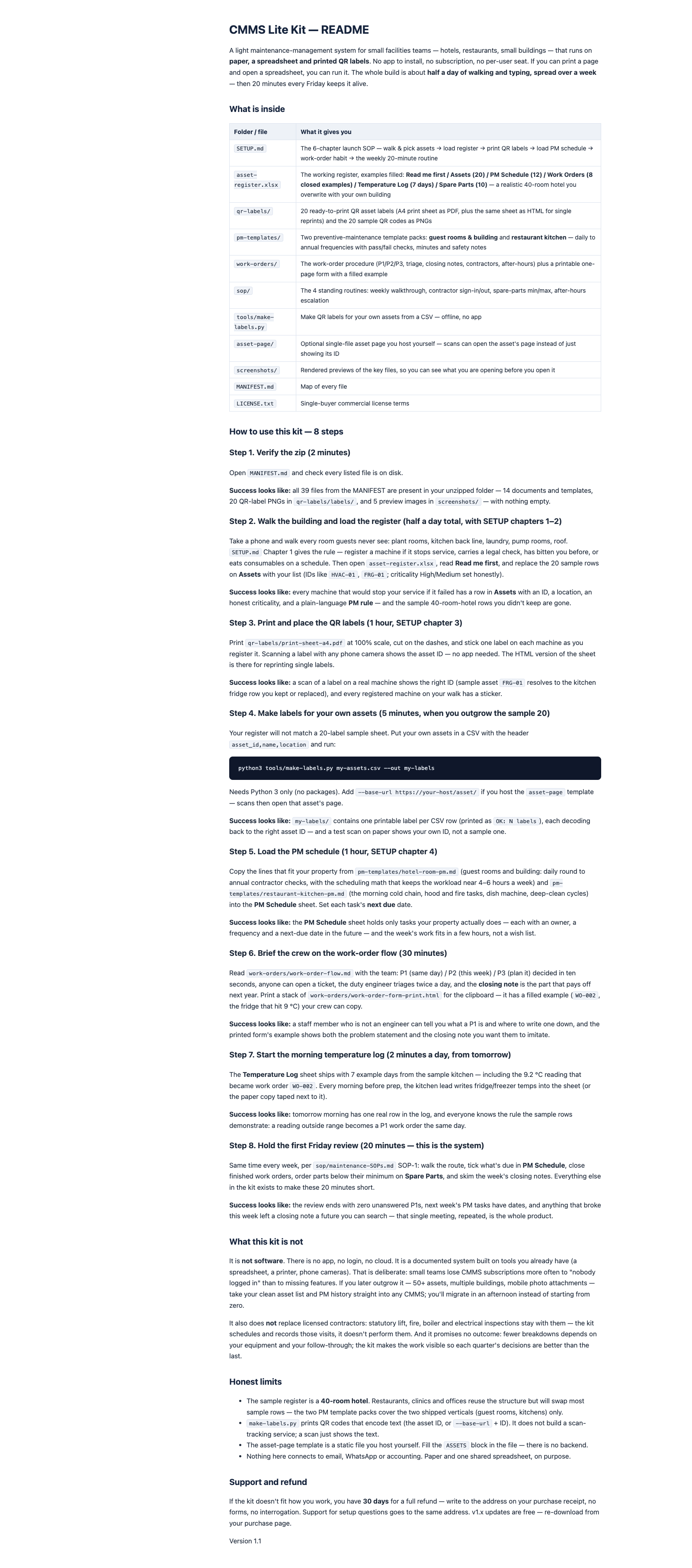
Get the kit — $42One zip: an asset-register workbook, 20 ready-to-print QR labels, two preventive-maintenance template packs, the work-order procedure with a printable form, four standing SOPs and a label maker — files that work in Excel, Google Sheets, or on a clipboard. Nothing to install, nothing to subscribe to.
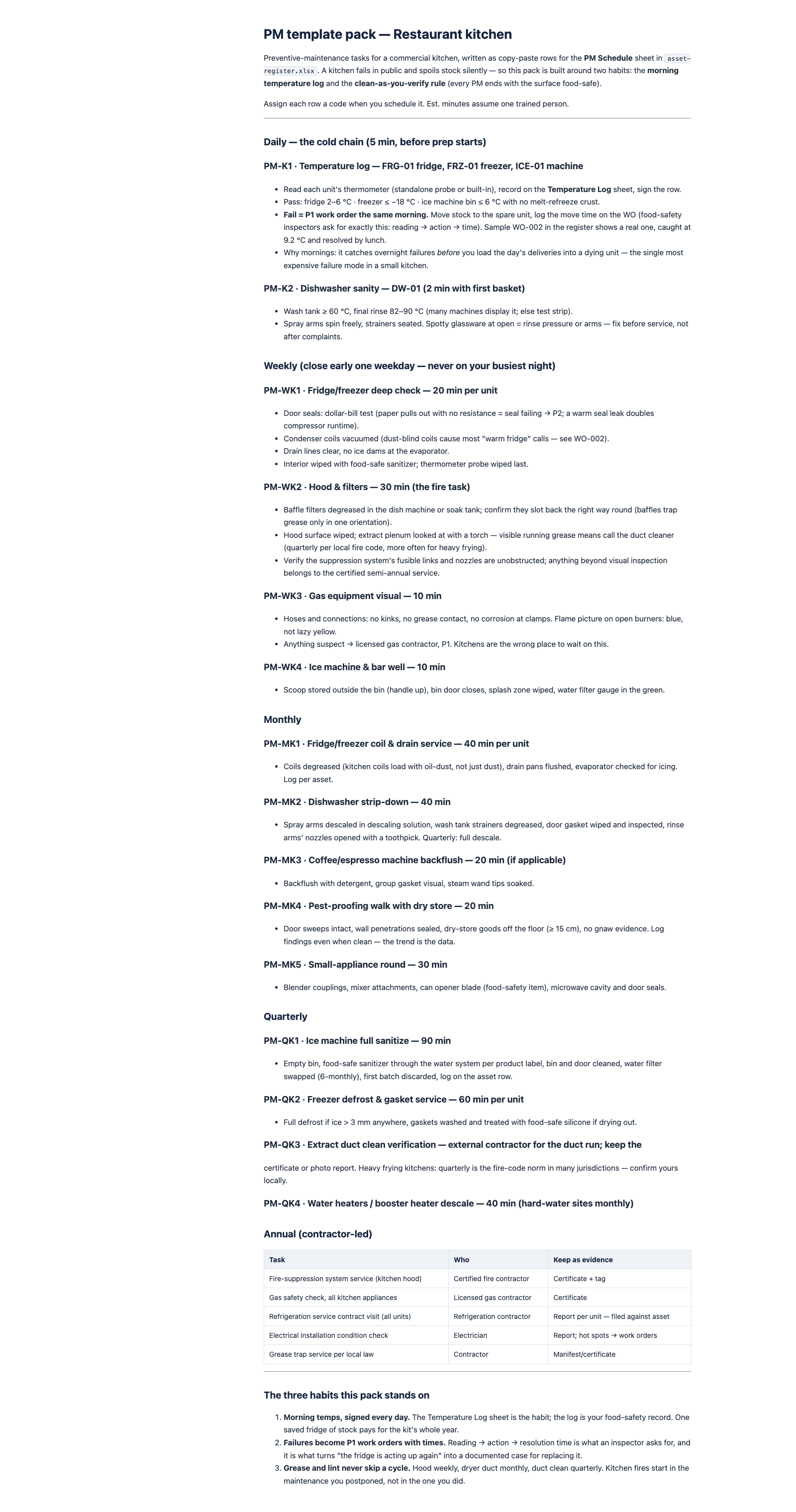
Guest-room & building PM and restaurant-kitchen PM: daily to annual frequencies with pass/fail checks, estimated minutes, safety notes — and the scheduling math that keeps the workload near 4–6 hours a week.
Print at 100%, cut, stick. A scan shows the asset ID on any phone camera — no app to install. The included make-labels.py makes labels for your own assets from a CSV, fully offline.
20 sample assets, 12 PM tasks, 8 closed example work orders, the kitchen temperature log and a spare-parts min/max sheet — a realistic 40-room hotel you overwrite with your own building.
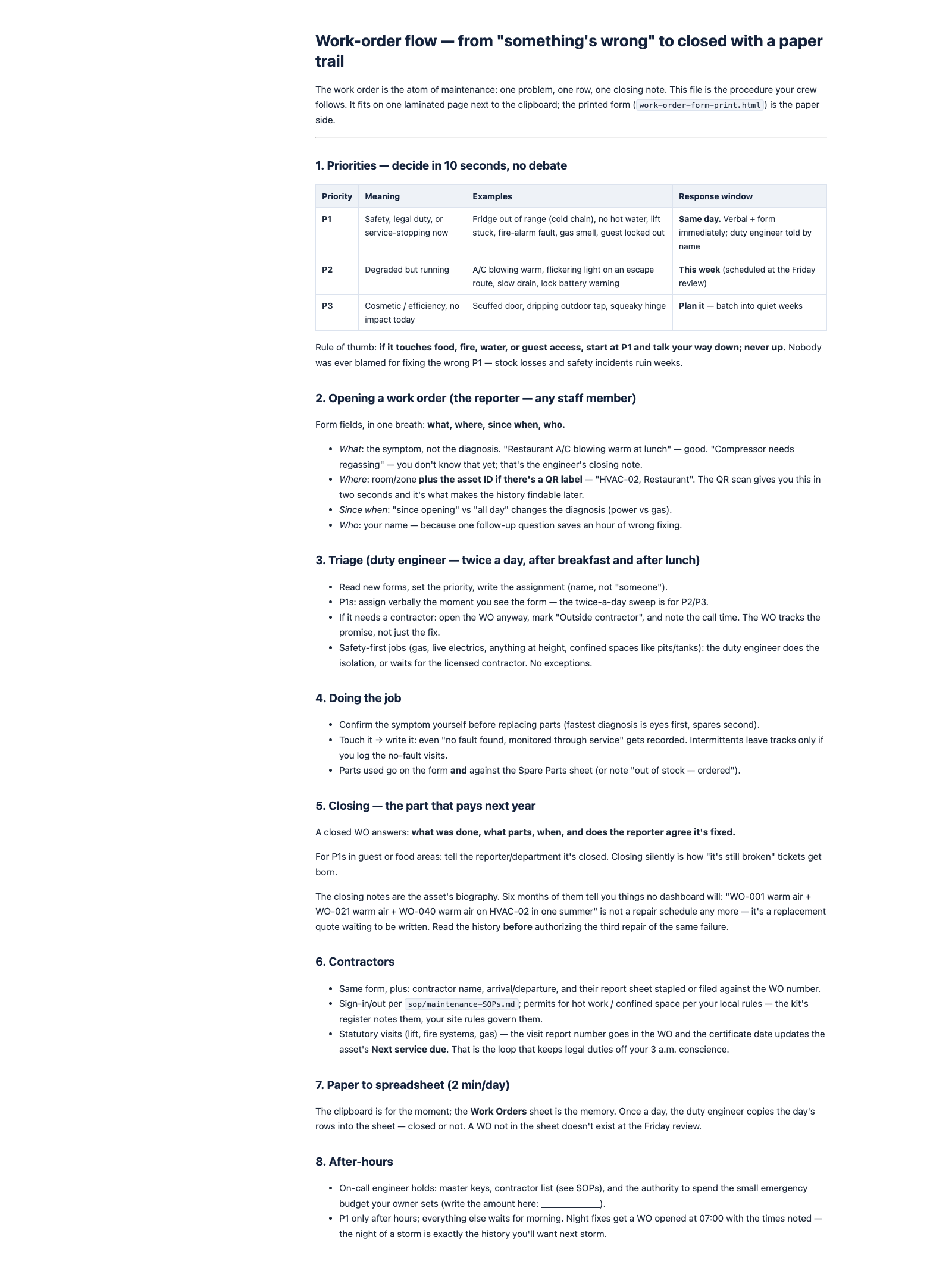
Priorities decided in ten seconds, the closing note that pays off next year, contractor rules and the after-hours escalation. The one-page form prints on A4 with a filled example.
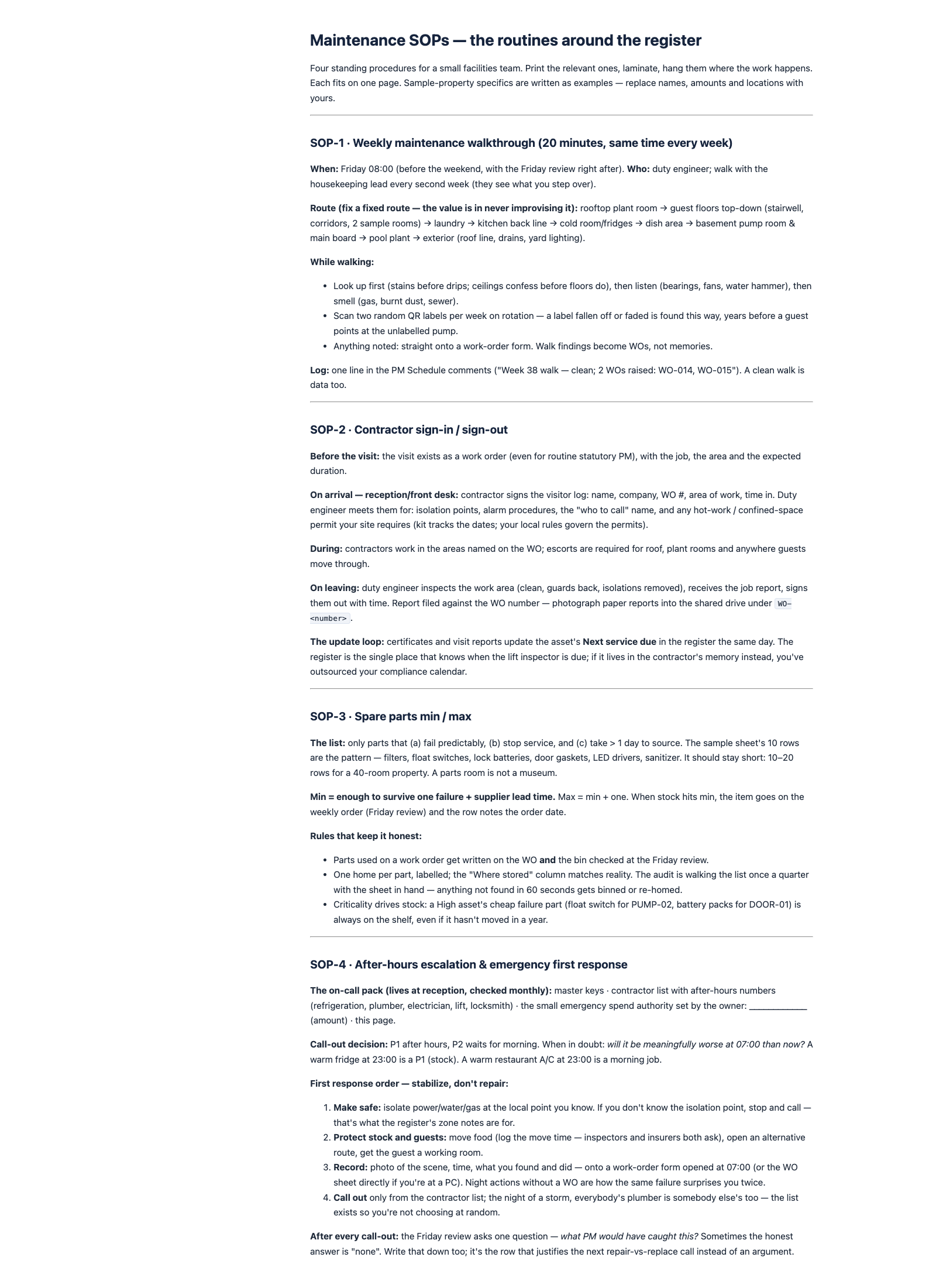
Weekly walkthrough route, contractor sign-in/out, spare-parts min/max, after-hours first response. Print, laminate, hang where the work happens.
Single-buyer commercial license: run the system across every property you operate, forever. Reselling or sharing the files isn't included — each property group buys its own copy.
Published plan prices for a 3-person facilities team, taken from the vendors' own pricing pages on 20 September 2026. Prices change — check before you buy anything, including this kit.
| Route | 3-person team, year 1 | Notes |
|---|---|---|
| Fiix — Basic | $1,620/yr | $45 × 3 users × 12 mo · the free plan caps at 25 active PMs |
| UpKeep — Premium + Quickstart | $2,480 year 1 | $55 × 3 × 12 + $1,500 one-time implementation (fees run $500–5,000 by tier) |
| MaintainX — Premium | $2,340/yr | $65 × 3 × 12, billed annually · acquired by Autodesk on 3 Aug 2026 |
| CMMS Lite Kit | $42 once | paper + spreadsheet + printed labels · no software, no seats, no renewal |
Subscriptions buy hosted software — mobile apps, photo attachments, dashboards, integrations. That is the right tool when you need those. This kit buys the system and the habit for less than one seat-month of a premium plan. Figures come from the vendors' official pricing pages (fiixsoftware.com, upkeep.com, getmaintainx.com), checked 2026-09-20. For scale: the CMMS market was ~$1.4B in 2024 and is forecast to grow 10–13% a year (Market.us and Zion Market Research reports) — the category is moving up-market, not down.
Not software. There is no app, no login, no cloud. It is a register workbook, printable labels and documented routines running on tools you already have. If you want photo attachments, push notifications and multi-site dashboards, buy a subscription — seriously. This kit is for teams whose maintenance dies from "nobody keeps it up", not from missing features.
No outcome promises. Nobody can promise fewer breakdowns — that depends on your equipment, your staff and your execution. What the kit does is make the work visible: what's due, what broke, what it cost, what to check every morning — so each quarter's decisions get better than the last.
Not a compliance shield. Statutory lift and fire inspections, gas and electrical work stay with licensed contractors. The kit schedules and records them; it does not replace them. The safety notes in the templates cover the common cases — your local codes always win.
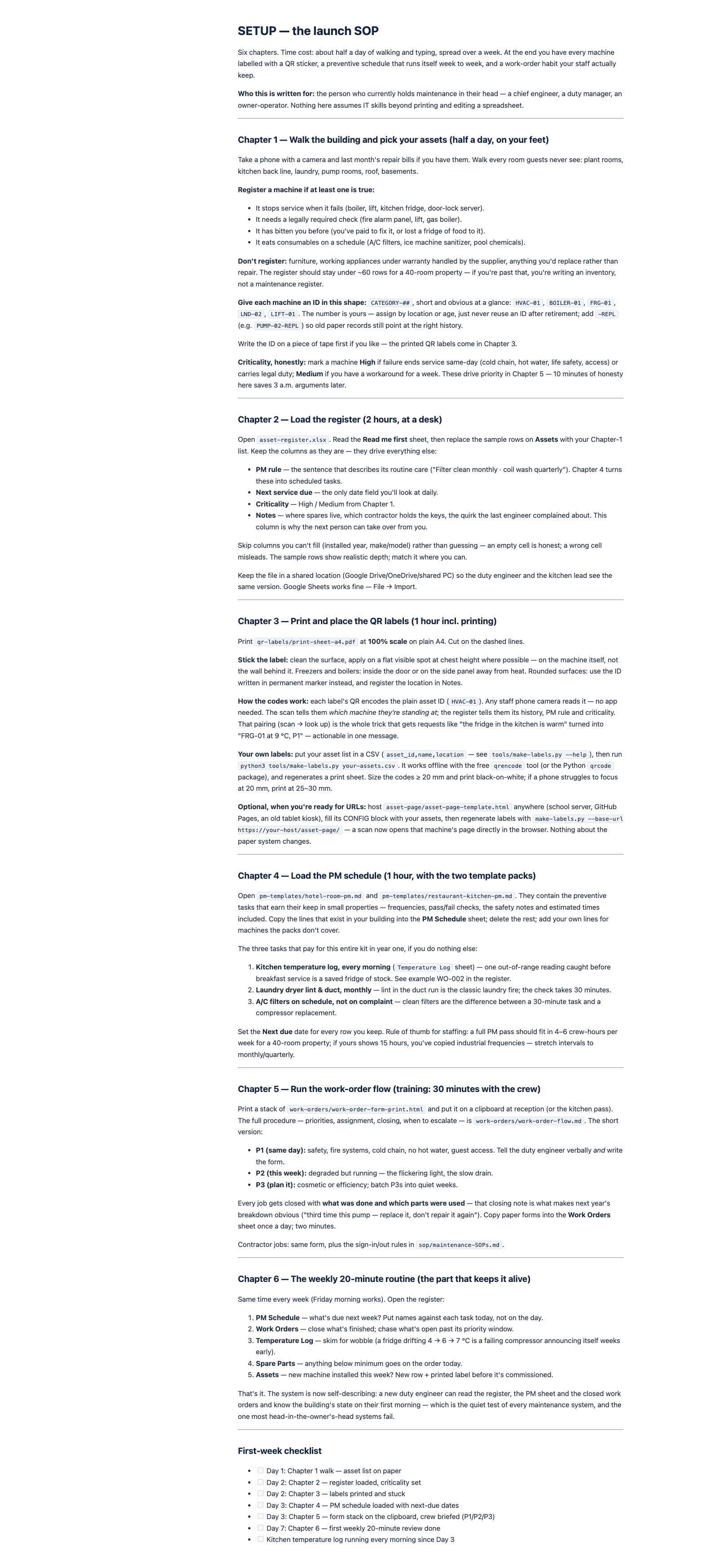
About half a day of walking and typing, spread over seven days — then 20 minutes a week keeps it alive.
List every machine that stops service when it fails (the SETUP.md rule decides). Load the register, set honest criticality — half a day on your feet.
Stick QR labels on machines as you register them. Copy the PM lines that fit from the two template packs, set next-due dates, print the work-order form for the clipboard.
Brief the crew on P1/P2/P3 (30 minutes), start the morning temperature log, hold the first 20-minute Friday review. That's the whole system — it runs on that review forever.
No monthly plan, no per-seat fee, no subscription — the per-user apps already charge enough of those.
≈ ฿1,490
Secure checkout via Stripe · card payments · charged in USD
No — deliberately. It is a spreadsheet register, printable QR labels and documented procedures that run on tools you already have: a printer, Excel or Google Sheets, phone cameras. If you need photo attachments, push notifications or multi-site dashboards, buy a maintenance subscription — and start from this kit's asset list either way; migrating a clean register takes an afternoon.
A zip with 14 documents plus 20 QR-label PNGs: the 6-chapter SETUP.md launch SOP, the asset-register.xlsx workbook (20 sample assets, 12 PM tasks, 8 closed example work orders, kitchen temperature log, spare-parts min/max), the 20 printable QR labels (PDF + HTML), a hosted asset-page template, two PM template packs (hotel rooms, restaurant kitchen), the work-order flow with a printable A4 form, four maintenance SOPs and the make-labels.py tool. Everything is plain Markdown/XLSX/HTML/CSV except one PDF.
Fiix's free plan (25 active PMs, QR scanning) is genuinely useful — if your team logs in. Free plans don't fix the real failure mode of small properties: nobody maintaining the system. This kit is built for the clipboard-and-shared-sheet reality, including kitchens where phones don't belong in food areas. Use the free plan when it works — the kit's register and PM history move straight into any CMMS if you outgrow paper.
No, and it doesn't try. Those are hosted products with mobile apps and enterprise features at $20–65 per user per month (their official pricing pages, checked 2026-09-20). This kit is the light end — asset list, PM schedule, QR reporting and work-order discipline for one building or a team under ~10 people — for $42 once. When you outgrow it, you migrate your register instead of starting over.
If the kit doesn't fit how you work, write to us within 14 days of purchase for a full money-back refund — the files are yours to keep or delete. One refund per purchase; we only ask for optional feedback.
Yes — every v1.x update (new template packs, checklist fixes, label-sheet improvements) is free. Re-download any time from your download page with your email and password.
$42 one-time · ≈ ฿1,490 · free updates v1.x · instant download
Get the CMMS Lite Kit — $42